


During the export process or during the process of linking to BIMserver.center in Revit using the Open BIM – Revit Plugin, the following error message may appear:
Could not load file or assembly 'Autodesk.IFC.Export.UI, (…)'. The system cannot find the file specified.
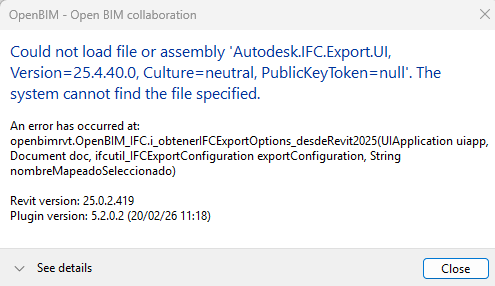
Note: Sometimes the error message is displayed in a hidden window. If the export or linking process is taking longer than usual, and the Open BIM – Revit Plugin icon is flashing orange in the toolbar, you must click on it to display this window.
This error is not caused by the plugin, but by a lack of updates to Revit or Autodesk's official IFC export extension.
To resolve this issue, you must update both to their latest versions. Here are the steps to follow:
- Revit update:
First, you must verify that the latest available version of Revit is installed. For example, for Revit 2025, the latest available version (as of 9 February 2026) can be viewed here:
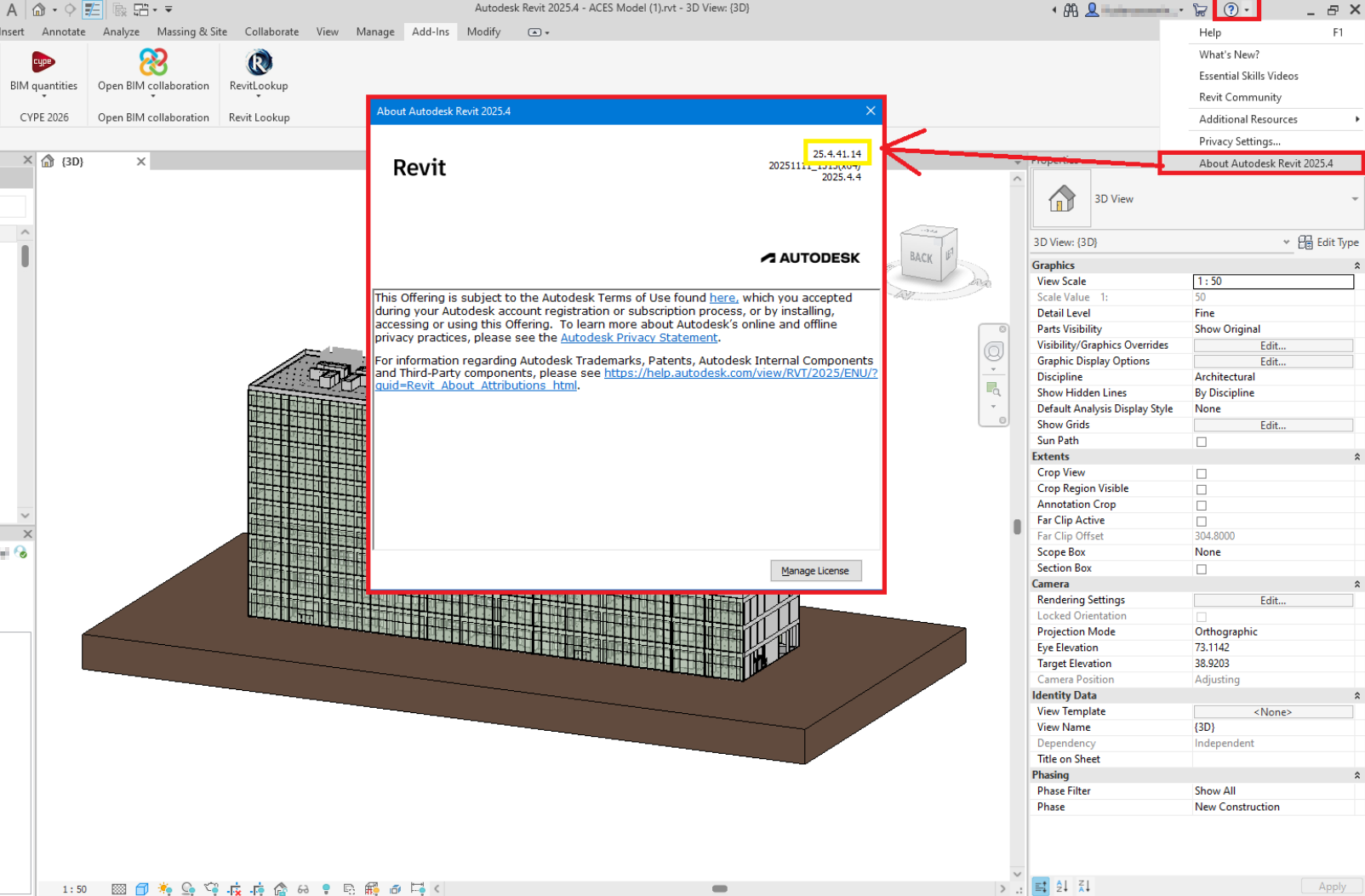
If the installed version of Revit is lower than the required version, all updates must be managed from the Autodesk Access application, which can be found in the Windows Start menu.
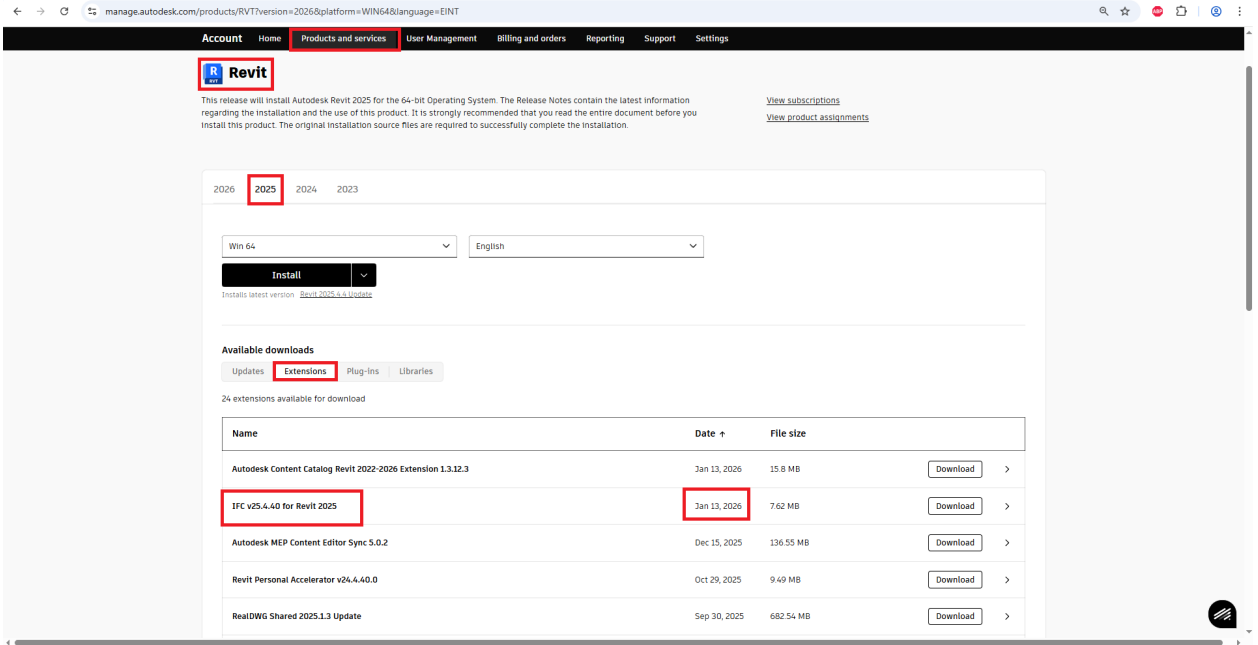
- Updating the Revit IFC export extension:
This Autodesk extension must be downloaded and installed from the official Autodesk website, ensuring that it corresponds to the version of Revit used (2025 in this case):
Please note: For any update or installation of Revit (whether the program itself or its extensions), Revit must be completely closed. We recommend checking the system's secondary processes to ensure that no instances of Revit are still running.
If the problem persists after following these steps, please contact us at the following technical support addresses, providing the following information:
- Revit file you are attempting to export (attach the file).
- Are you a customer of the CYR module (conversion to native payment module) (yes/no):
- Revit version in which the error occurred:
- Confirmation that Revit has been updated (yes/no):
- Confirmation that the Revit IFC export extension has been updated (yes/no):
- Version of the plugin that was in use when the error occurred: