
When updating or installing CYPE Menu version 2026.a, it may appear empty, without the programs it contained in the previous version (2025).
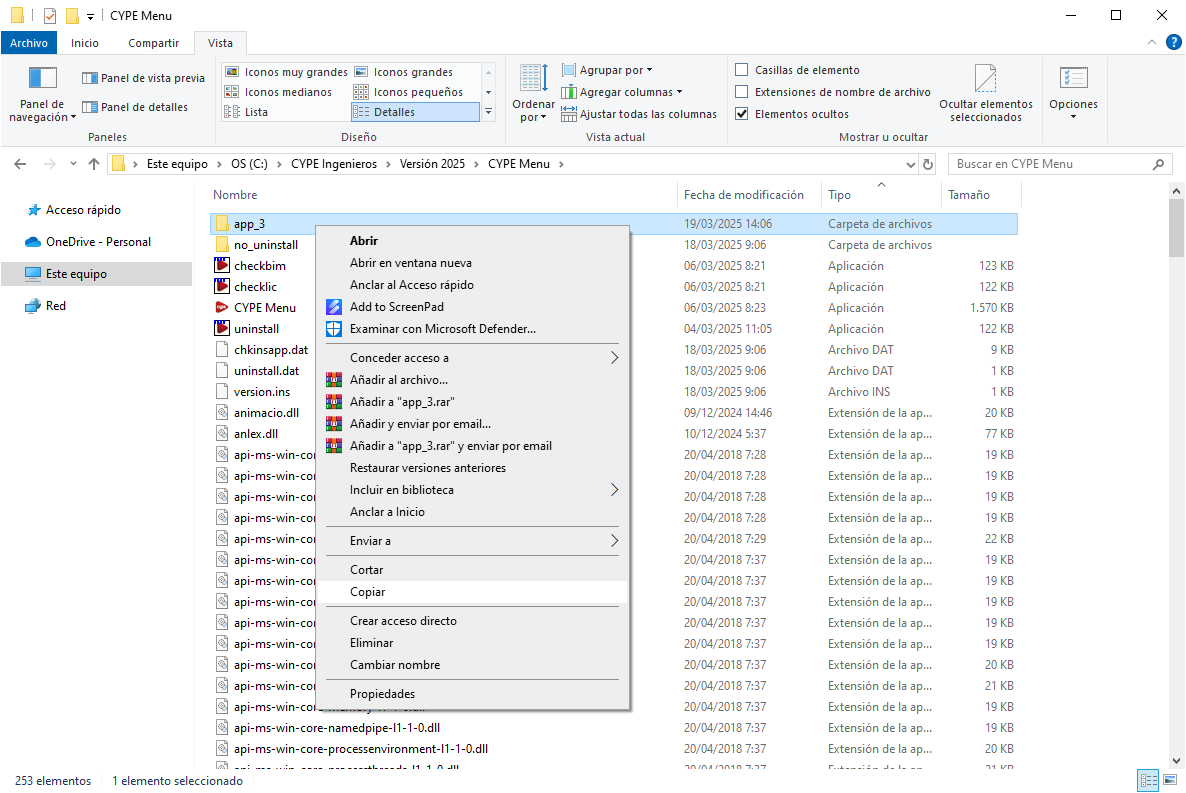
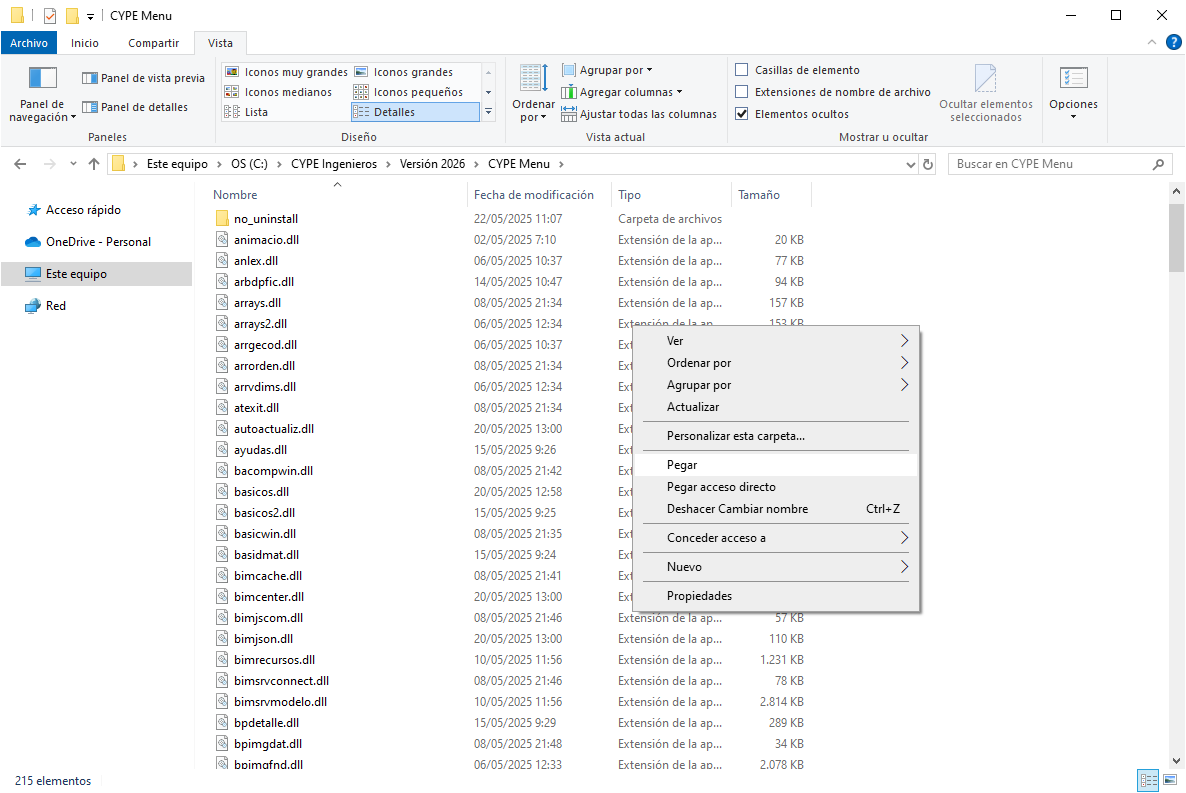
This is because the programs downloaded from CYPE Menu 2025 are stored in the path C:\CYPE Ingenieros\Version 2025\CYPE Menu\, whereas CYPE Menu 2026 expects to find them in the path C:\CYPE Ingenieros\Version 2026\CYPE Menu\.
To solve this problem and make the CYPE Menu programs available again, there are two options:
- Re-download and reinstall the desired programs from CYPE Menu 2026. This may be a recommended option if only a few programs are affected and the combined download and installation time is not too long.
- Manually copy and paste the installation folders of all desired applications fromC:\CYPE Ingenieros\Version 2025\CYPE Menu\ to C:\CYPE Ingenieros\Version 2026\CYPE Menu\. The application folders appear as "app_XX" (where XX is the identification number of each app). Only these "app_XX" folders must be copied and pasted from one path to another. The remaining files in this folder and the "no_uninstall" folder do not need to be copied and pasted, as they will have already been generated in the CYPE Menu 2026 installation process.