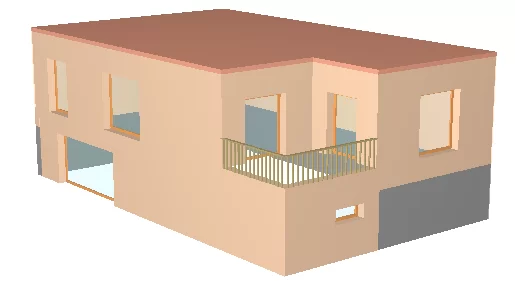


For external vertical walls, the IFC Builder program allows one of the parts of the wall to be defined as a "Basement Wall". The following example explains how to do this.
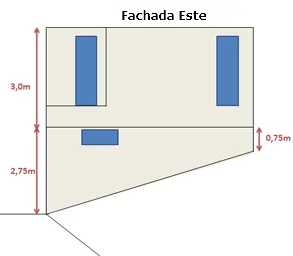
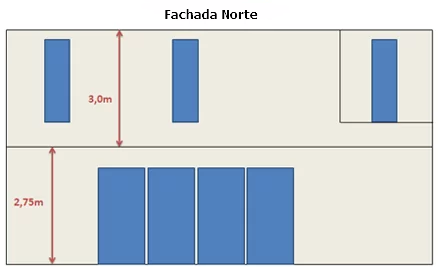
First of all, under "Project" > "Floors/Groups", a floor that is in contact with the soil is defined as a "Basement" and a positive difference in level is established for the floor immediately above it.
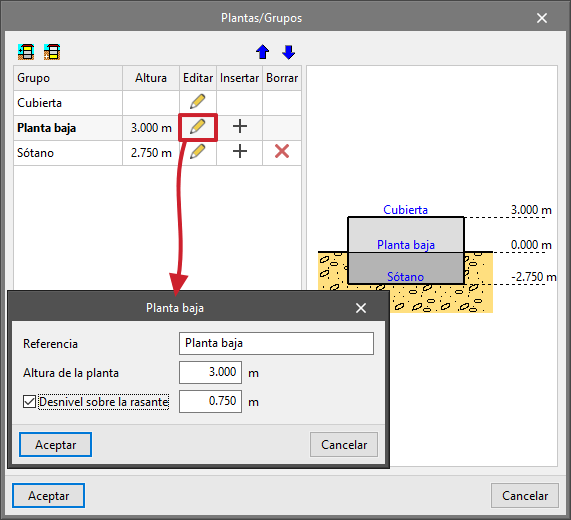
In this example, a difference in level of 75 cm has been defined, as the zero level is considered to be the lowest level at which the entire contour of the building is in the open air.
After this first step, modelling can be started on the "Basement" level. Subsequently, in the "Building elements" menu > "Walls and partitions", select "External wall" and "Basement wall".
Note: in a similar scenario, it will also be possible to define a wall consisting of two different types of walls within the same level.

Once this has been completed, simply enter the walls in the desired location.
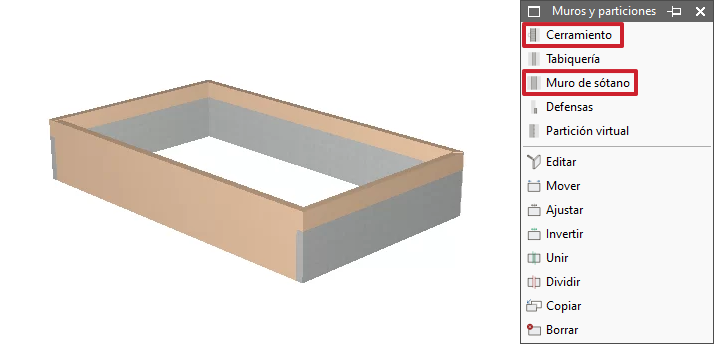
In this example, three sections of the "Basement wall" have been defined in order to be considered as being in contact with the soil. The fourth section was defined as an "External wall" in order to be considered as being in contact with the outside.
It should be noted that for level ground there is no definition problem. However, on sloping ground (as in this example), the area in contact with the soil cannot be defined as a "triangular" surface area. A simple solution is to manually analyse the surface area involved and divide the façades into two parts: one part will remain defined as a "Basement wall" (with a rectangular contact area equal to the total area of the triangle) and the other part will be defined as "External wall".