

For modelling live loads in CYPECAD a "Live load" type load case must be created from the "Project" menu > "General data", activating the "With different load dispositions" checkbox.
Then, a series of possible moving load positions are defined and designated as either "Compatible" with each other, "Incompatible" with each other or "Simultaneous".
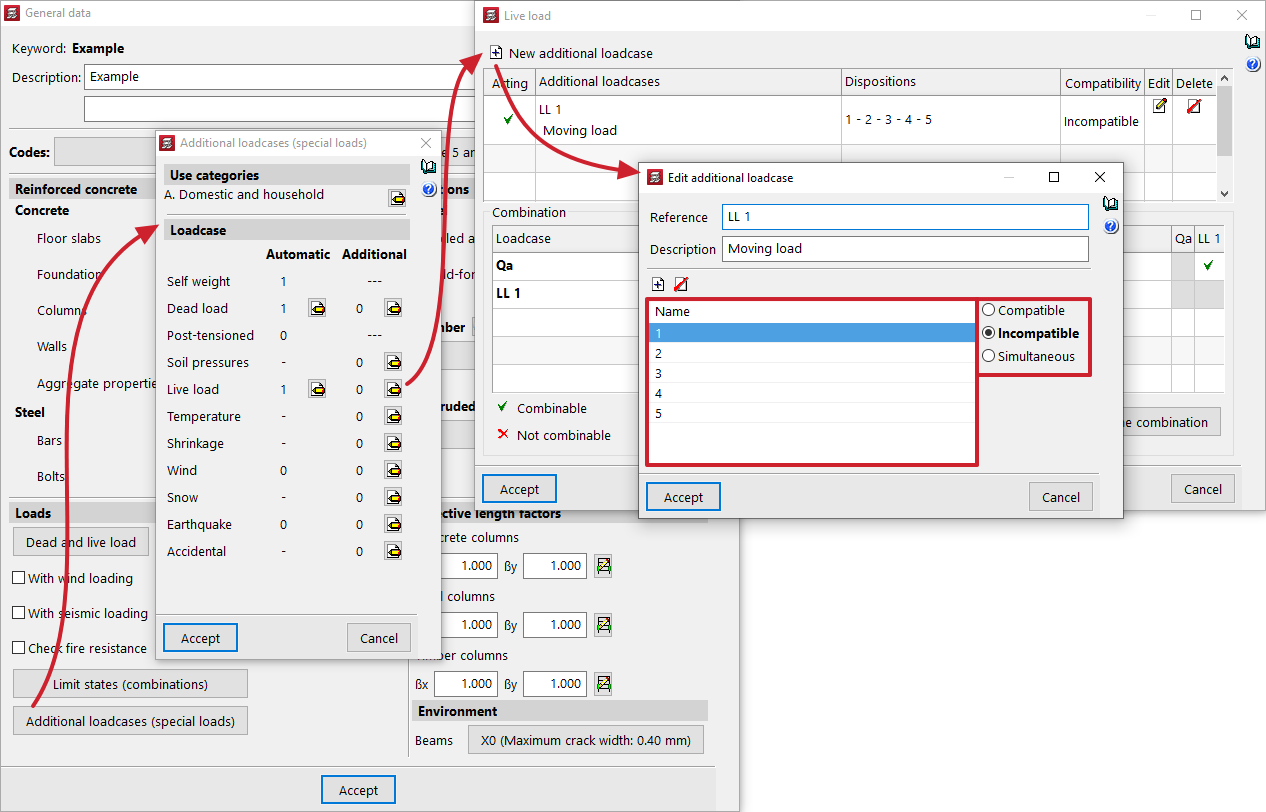
The example in the picture above has defined a load case of a moving load with 5 positions to be solved. They are all incompatible with each other, i.e. the load cannot be considered in more than one position at the same time.
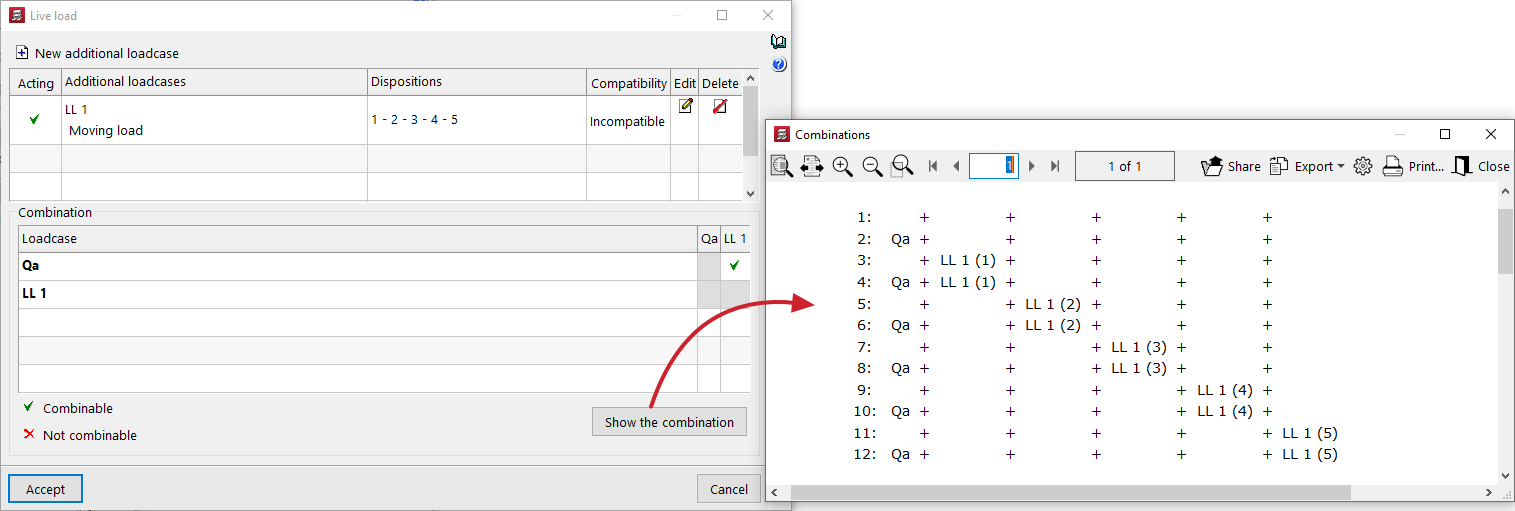
Once the load case has been created, it can be checked with the option "Show the combination" that each of the positions will be considered independently during the analysis:
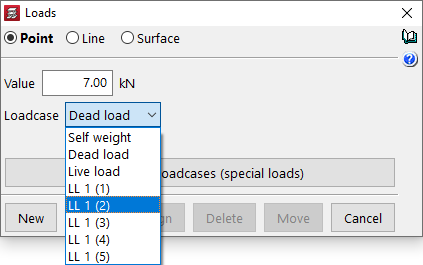
Once the load case has been created, simply model the loads graphically from the "Loads" menu in the "Beam definition" tab. Moving loads are modelled in the same way as any other load, whether point, line or surface. Make sure the load is correctly attributed to the affected area: