

In the CYPE Cost Database, users may encounter the following error message instead of successfully uploading images: "Internet access is required to show the image."
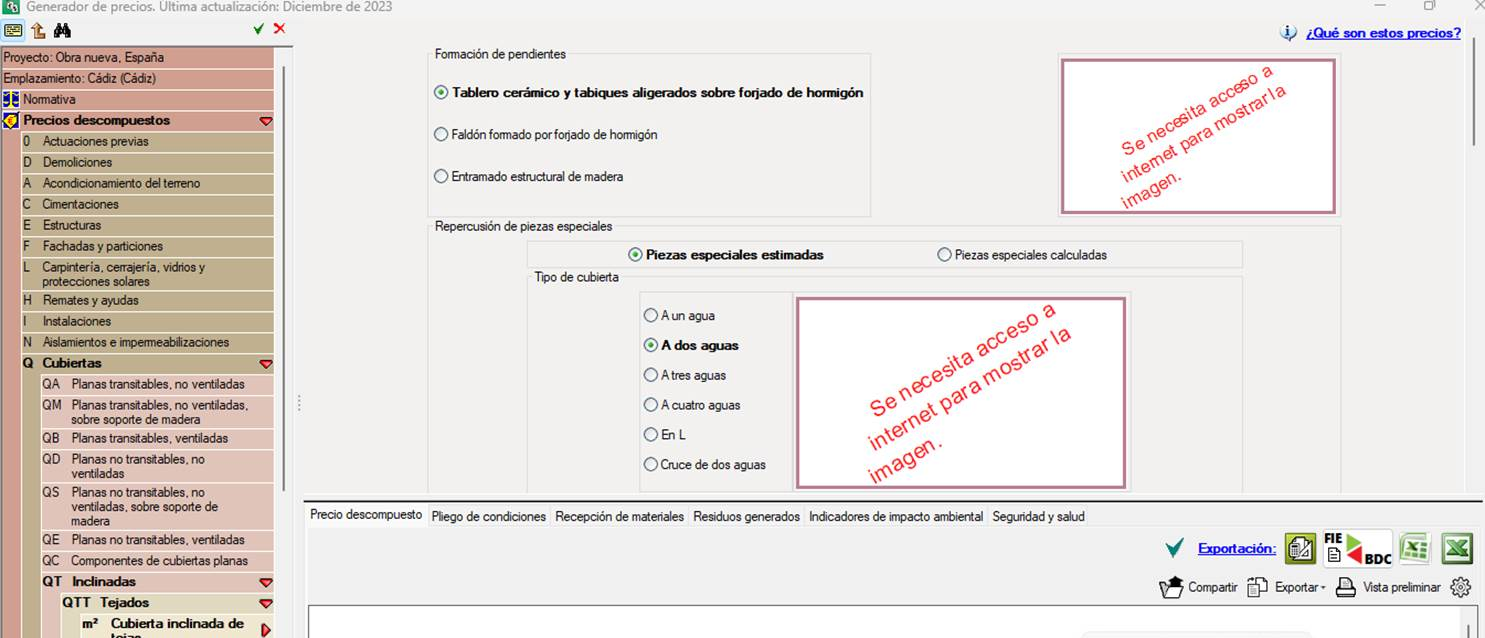
This problem can often be solved by changing your antivirus settings. If you disable your antivirus, the images will probably reappear in the CYPE Cost Database without any problems. If you want to keep your antivirus running, you will need to configure it by defining exclusions using the following method:
- Completely close all CYPE programs.
- In your antivirus settings, add the following folders as exclusions:
C:\CYPE Ingenieros
C:\Users\username\AppData\Roaming\CYPE Ingenieros (where "username" is your Windows username) - Enter the following directory:
- For versions 2025.a and later: C:\CYPE Ingenieros\Version 20XX\CYPE Menu\ (where "20XX" is the version of the program you are using).
- For versions 2024.f and earlier: C:\CYPE Ingenieros\Version 20XX\programs\ (where "20XX" is the version of the program you are using).
- Run the file checkbim.exe located in that directory as an administrator (right-click > Run as administrator).
- This will bring up the document "Checking the connection with BIMserver.center". In the last entries of this document, you may see a warning indicating the ports that are failing along with one or more URLs, instead of "OK"(*). Copy these URLs.
- Back in the antivirus settings, add these URLs as exclusions and, if necessary, open the ports indicated in the entries in the faulty document.
- After finishing, reopen and use the CYPE programs.
(*) For the programs to function correctly, the information provided by the checkbim.exe file should be similar to the following:
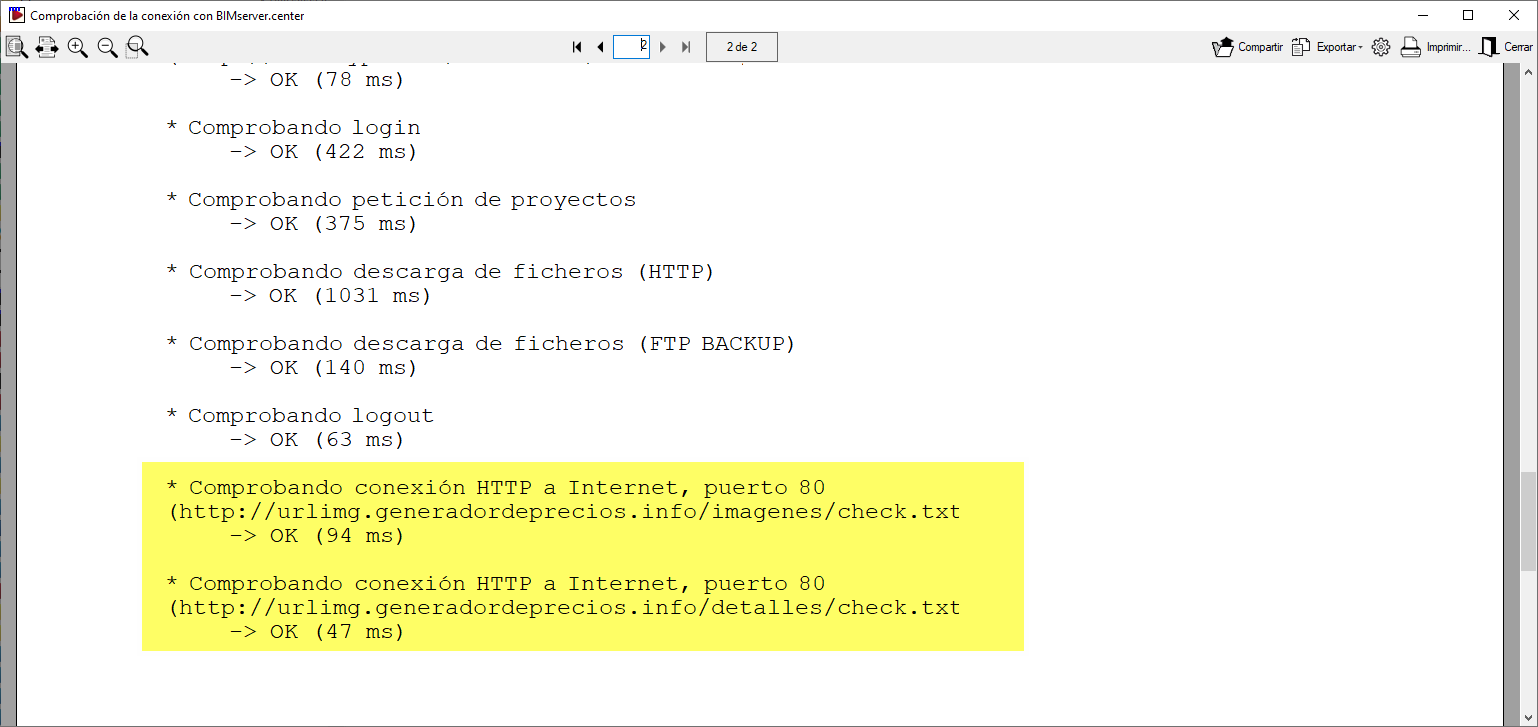
As an example, below are some entries related to the CYPE Cost Database that may show errors in this document:
- Checking HTTP connection to the Internet, port 80 (http://urlimg.generadordeprecios.info/imagenes/check.txt)
- Checking HTTPS connection to the Internet, port 443 (https://generadordeprecios.s3.eu-west-1.amazonaws.com/imagenes/check.txt)
- Checking HTTP connection to the Internet, port 80 (http://urlimg.generadordeprecios.info/detalles/check.txt)
- Checking HTTPS connection to the Internet, port 443 (https://generadordeprecios.s3.eu-west-1.amazonaws.com/detalles/check.txt)