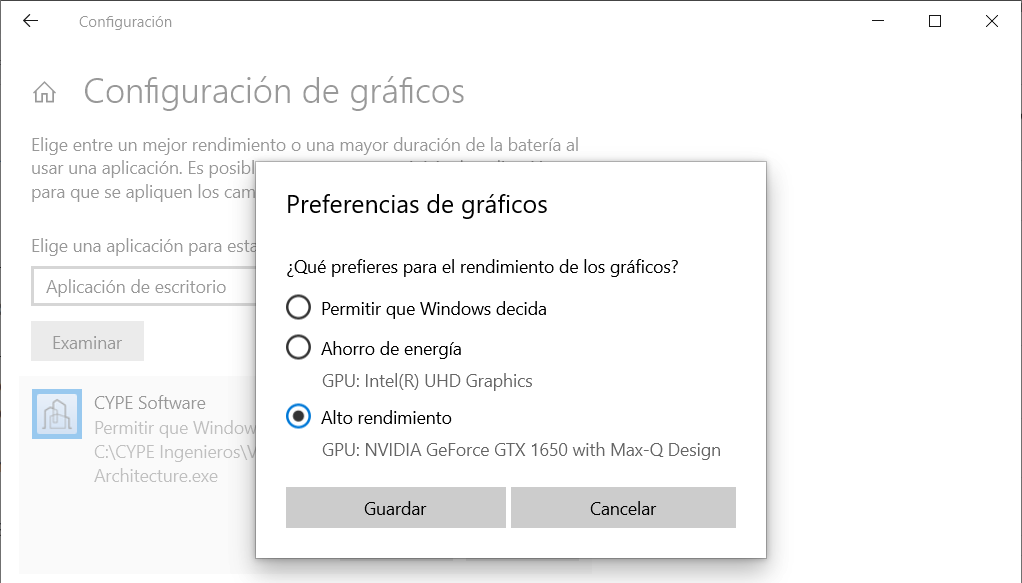

The general procedure for configuring graphics in Windows is described below. By following these steps, you can ensure that CYPE programs run using the high-performance GPU, thereby resolving certain issues that may arise when using the software.
- Type "Settings" in the Windows search bar and then go to "System", "Display", "Graphics settings".
- In "Graphics performance preferences", under "Choose an app to set preference", select "Desktop app" and click "Browse". Locate the executable file of the CYPE program (for example, C:\CYPE Ingenieros\Version 2026\CYPE Architecture\CYPE Architecture.exe) and click "Add". This must be done for each executable of the programs you wish to use.
- Click "Options" for each added app. In the "Graphics preference" window, select the "High performance" GPU and click "Save".